
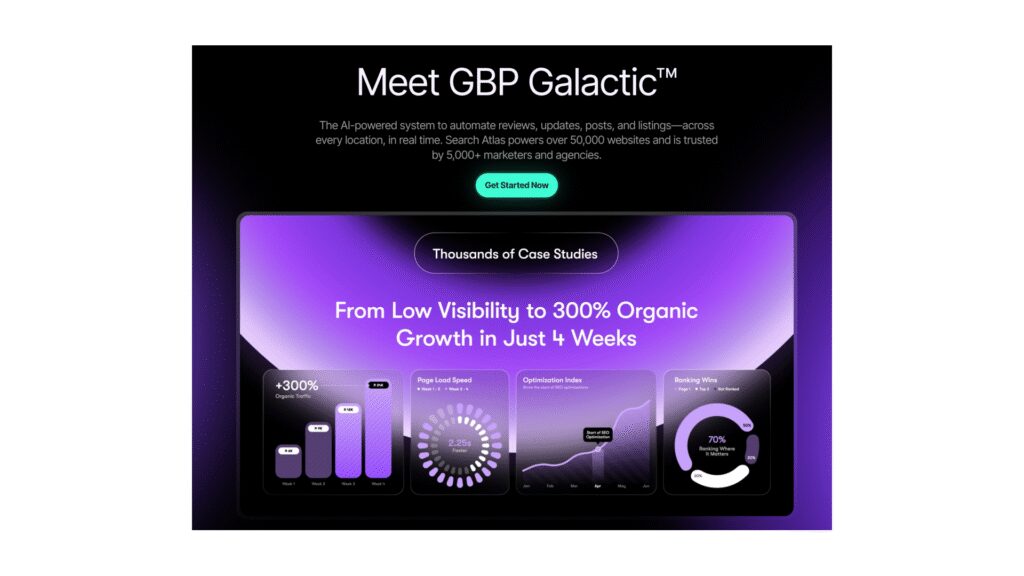
In today’s fast-paced digital landscape, leveraging AI-powered automation is essential for small and mid-size businesses looking to optimize their operations. One effective way of doing this is through an AI platform designed for managing a Google Business Profile, such as GBP Galactic from Search Atlas. This guide will walk you through designing, deploying, and monitoring such automation, providing step-by-step instructions that a non-developer operations manager can easily follow.
Before diving into configurations, ensure you have a basic understanding of your current Google Business Profiles and the data associated with them. Start by gathering essential information, such as the business name, address, phone numbers, operation hours, and service offerings. This existing data will serve as your input for the automation tool.
Once you’re ready, proceed with the basic setup. First, create an account on the GBP Galactic platform by visiting their website. Input your business information correctly; expect the system to prompt you for verification by sending a code to the email or phone number you’ve provided. Grab that verification code and finalize the account creation.
Following the setup, you need to configure the automation settings. Within the GBP Galactic dashboard, navigate to the configuration section. Here, specify how many locations you wish to manage, as well as the particular services each location offers. Make sure to customize the messaging for review responses and Q&A areas, tailoring it to align with your business’s tone of voice. This customization is crucial because it directly impacts customer engagement.
Next, establish a publishing schedule to automate content delivery. GBP Galactic allows you to set specific times for posting updates or announcements. Input the frequency you desire; for example, weekly updates may keep your audience informed without overwhelming them. Afterward, click on the “Save Settings” button to lock in this automation routine.
Once the configurations are complete, it’s essential to test the setup. Start by simulating a few scenarios, such as submitting a question on your profile or leaving a review. Monitor the responses generated by the AI. Ensure that they accurately reflect your brand’s voice and provide valuable information to customers. If the responses don’t meet your expectations, consider adjusting the templates or the tone settings within GBP Galactic’s dashboard.
Monitoring the system post-deployment is vital for ensuring everything runs smoothly. Leverage the analytics offered by GBP Galactic to observe engagement metrics like click-through rates, response times, and customer interactions. Regularly assess this data to determine new emerging questions or trends in customer inquiries that might require further adjustment to your automation configurations.
Error handling is a significant aspect of ongoing management. Familiarize yourself with GBP Galactic’s reporting feature, where it flags any issues related to listings or responses. In case of errors, such as an incomplete address or a review that went unanswered, take the time to resolve them immediately. Regular audits can help you catch potential discrepancies before they escalate.
Cost control is equally important. GBP Galactic provides a transparent pricing model, allowing you to understand costs based on the number of locations managed. To estimate the total cost of using this tool, factor in the number of profiles you’re managing along with any additional features you wish to enable. Also, set aside a maintenance budget, which can be a percentage of your new customer acquisition cost, to foster ongoing support and updates.
Assessing the ROI of implementing GBP Galactic involves tracking the growth in customer engagement and bookings after the system goes live. Set clear KPIs such as increased foot traffic, calls generated through local searches, or appointments made through your online profile. Calculate the costs versus the revenue generated from these new leads to gauge the effectiveness of the investment.
Now let’s address some important concerns about security and data privacy. As you’re utilizing an AI platform, it’s crucial to understand how the tool processes and stores your data. Read through the privacy policy and data retention guidelines provided by Search Atlas to ensure that your customer data is maintained in compliance with regulations. Consider opting for features that offer enhanced security, such as two-factor authentication or regular backups of your data.
Vendor lock-in is another critical issue to consider. Ensure you’re aware of what it would entail and the exit strategy if you ever choose to switch providers. Seek out flexibility in contract terms and ensure that it’s easy to export your data should you decide to migrate to another platform. This foresight allows easier transitions without losing crucial business information.
FlowMind AI Insight: Embracing AI-powered automation for managing Google Business Profiles not only streamlines operations but can also significantly enhance your local SEO presence. By meticulously following the steps outlined, you can deploy an effective system tailored to your business needs while ensuring data security and cost efficiency. This strategic investment can ultimately lead to improved customer engagement, higher conversion rates, and substantial ROI for your small or mid-sized business.
Original article: Read here
2025-11-26 15:05:00