
Creating an AI-powered automation system for a small or mid-size business can significantly enhance efficiency and productivity. This guide will take you through the necessary steps to design, deploy, and monitor an automation solution tailored to your business needs. We’ll address prerequisites, configuration, testing, monitoring, error handling, and cost control in straightforward language.
Before beginning, assess your business needs to determine which processes require automation. Identify repetitive tasks that consume significant time and effort. This might include data entry, report generation, or customer communications. Make a list of these tasks along with the desired outcomes to establish a clear framework for your automation.
Next, evaluate your technical environment. Ensure your business infrastructure can support the AI solution you plan to implement. This includes robust internet connectivity, hardware capable of running necessary software, and an understanding of your current software tools. Familiarize your team with the AI solution’s capabilities and limitations.
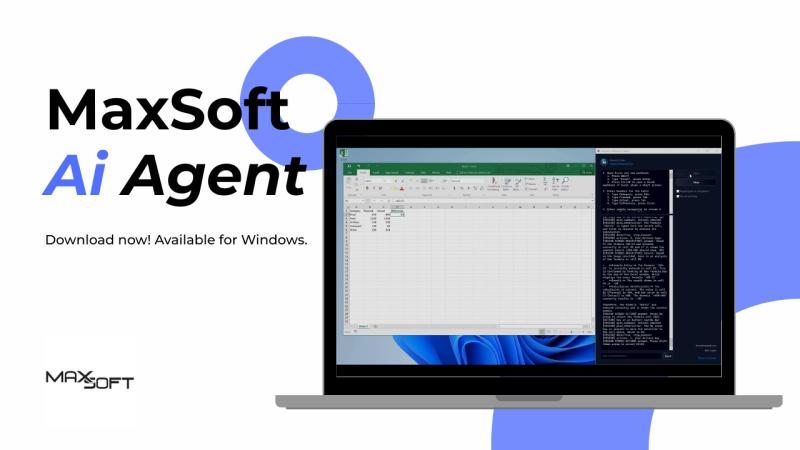
Once you have defined the scope and requirements, choose an AI automation platform that aligns with your business objectives. Look for user-friendly interfaces that require minimal coding to be truly accessible. Platforms like MaxSoft AI can significantly reduce the complexity by offering natural language tasks for automation. After selecting a platform, register and configure your account, ensuring you grant the necessary permissions for integration with other tools your business uses.
Moving on to configuration, start by integrating the AI tool with your existing workflow systems. Link your automation platform to relevant applications, such as email, spreadsheets, or customer relationship management (CRM) tools. This can often be accomplished through simple API connections or built-in integrations.
After establishing connections, create your automation workflows. Begin with straightforward tasks to build the foundation. For instance, if you want to automate email responses, program the AI to recognize specific keywords and respond accordingly. Test this input by sending sample emails to evaluate how well the AI handles various scenarios. Monitor the responses closely, making adjustments as needed.
Testing is a critical phase. Conduct several trials with diverse input scenarios to ensure the AI responds accurately across the board. Document the results, and analyze any discrepancies between expected and actual outcomes. This phase identifies errors that need immediate attention and adjustments to the AI’s learning algorithm.
Once tested, focus on how to monitor your automation’s performance continually. Many platforms provide dashboards that display real-time metrics, such as task completion rates, processing times, and user interaction statistics. Regularly reviewing these metrics is crucial for identifying trends and areas for improvement.
Error handling is equally essential. Implement fallback mechanisms in case the AI encounters unexpected inputs. For example, if the AI receives an unrecognized command, it should redirect the user to contact support or provide simple troubleshooting steps. In doing this, you minimize disruption and maintain operational continuity.
Cost control should also be a consideration. Analyze the costs associated with deploying and maintaining your AI automation system. These costs can include licensing fees, training, potential hardware upgrades, and ongoing support services. Balance these costs against the time saved and increased productivity to assess your return on investment (ROI).
In addition, security, data retention, and privacy policies must be prioritized throughout this process. Ensure that any data processed by the AI tool is encrypted and stored securely. Regularly update the software to protect against potential vulnerabilities. Familiarize yourself with data retention policies, ensuring that your business complies with regulations regarding data handling and storage. Maintaining privacy is not just a regulatory concern; it builds trust with your customers.
Vendor lock-in is another aspect you need to be aware of as you deploy AI solutions. Investigate the exit strategies provided by your chosen vendor. Understand the potential difficulties in migrating your data and processes should you decide to switch providers. Evaluate the platform’s openness to integration with other tools that could facilitate smoother transitions in the future.
For ongoing maintenance, develop a plan to routinely review and update your automation systems. As your business processes evolve, your AI solution may require adjustments or enhancements. Regular training updates for your AI tool can improve performance and extend its lifecycle.
FlowMind AI Insight: Implementing an AI-powered automation solution is a strategic move that can transform how your business operates. With careful planning and execution, your new systems can save time, reduce errors, and ultimately boost your bottom line. Regular evaluations and adaptation to evolving business needs are essential for maximizing the value of your investment in AI technology.
Original article: Read here
2025-12-16 10:44:00