
As small and mid-size businesses increasingly turn to automation, embracing AI-powered solutions can significantly enhance efficiency. This step-by-step guide aims to help operations managers design, deploy, and monitor AI-powered automation using tools that minimize complexity and maximize effectiveness.
Before diving into the design and deployment phases, it is essential to identify the prerequisites. First, determine the specific process within your business that could benefit from automation. This might involve customer service inquiries, inventory management, or marketing automation. Clearly defining objectives and expected outcomes will guide the design process.
Next, ensure that you have access to a suitable AI platform. API Studio, for instance, is an ideal choice, as it facilitates the creation and management of APIs across the development lifecycle. Secure access to tools for version control, like Git, is also necessary for effective collaboration. Make sure your team members have an understanding of basic programming concepts, though in many cases, they won’t require extensive coding skills due to the AI-driven capabilities of modern platforms.
Once prerequisites are set, begin the configuration process. Start by logging into your chosen platform and selecting the API Studio environment. Create a new project within this environment that aligns with the automation goals you defined earlier. For example, if automating customer service, you might name the project “Customer Support Automation.”
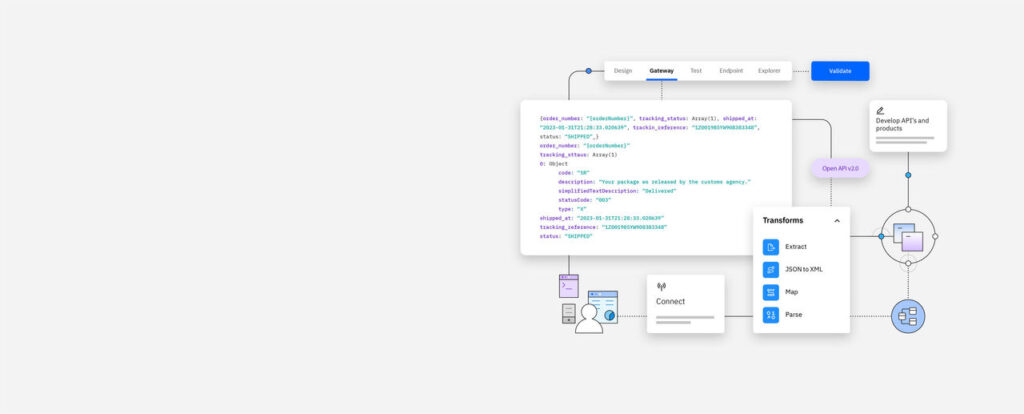
In the API design phase, outline the specific tasks the automation will handle. This is where collaborative workflows shine. Engage with team members to gather input on which aspects need the most attention. Use AI-driven authoring tools provided in API Studio to develop the initial framework. An example input could be adding rules for handling customer inquiries, such as automating responses to frequently asked questions. The expected outcome would be a functional API ready for testing.
Testing is a crucial step in automation. Utilize the integrated testing tools within API Studio to validate your API. For instance, you can simulate various customer inquiries to see how the automation responds. Check for errors and performance metrics, ensuring that the automation meets the set expectations. If any issues arise, the platform’s validation features will pinpoint areas needing adjustment.
Once testing confirms that the automation performs as intended, you can deploy it. Use the platform’s CI/CD pipeline for seamless deployment, which allows you to push changes progressively. For our customer support example, documentation generated during the development should provide a clear pathway from concept to production. Monitor the initial deployment closely to ensure the automation is working effectively in a live environment.
Monitoring is vital post-deployment. Utilize real-time analytics tools to keep track of how the automation performs over time. For instance, monitor response times to customer inquiries and user satisfaction rates. Regularly assessing the performance will help identify any required adjustments or improvements.
Throughout this process, security, privacy, and data retention are paramount. Ensure that all customer interactions are securely stored and comply with privacy regulations. Implement encryption for data at rest and in transit to safeguard sensitive information. Establish a clear data retention policy to outline how long data will be stored and how it will be disposed of responsibly.
Vendor lock-in is another significant concern when adopting AI-powered solutions. Always try to maintain flexibility by ensuring that your API design allows for multi-cloud deployment. This approach minimizes dependency on a single vendor and provides the freedom to explore better options in the future.
Estimating ROI from the automation initiative involves analyzing the efficiencies gained against the costs incurred. Initially, list the potential savings, such as reduced staffing needs or faster response times that lead to improved customer satisfaction. Compare this with the investment in tools and resources. Additionally, factor in ongoing maintenance costs for software updates or additional features you may require.
Ongoing maintenance will be necessary to ensure that the automation operates efficiently as business needs evolve. Establish a routine schedule for reviewing and updating the automation to keep it aligned with changing processes or technology advancements. Allocate specific resources for troubleshooting and potential expansion to handle increased demand.
FlowMind AI Insight: Adopting AI-powered automation is not just about implementing technology; it is about creating a sustainable framework that enhances operational efficiency while keeping security, compliance, and flexibility at the forefront of your business strategy. By following these steps and continuously optimizing your approach, you can ensure that your investment yields measurable returns and positions your business for future success.
Original article: Read here
2025-12-16 17:14:00