
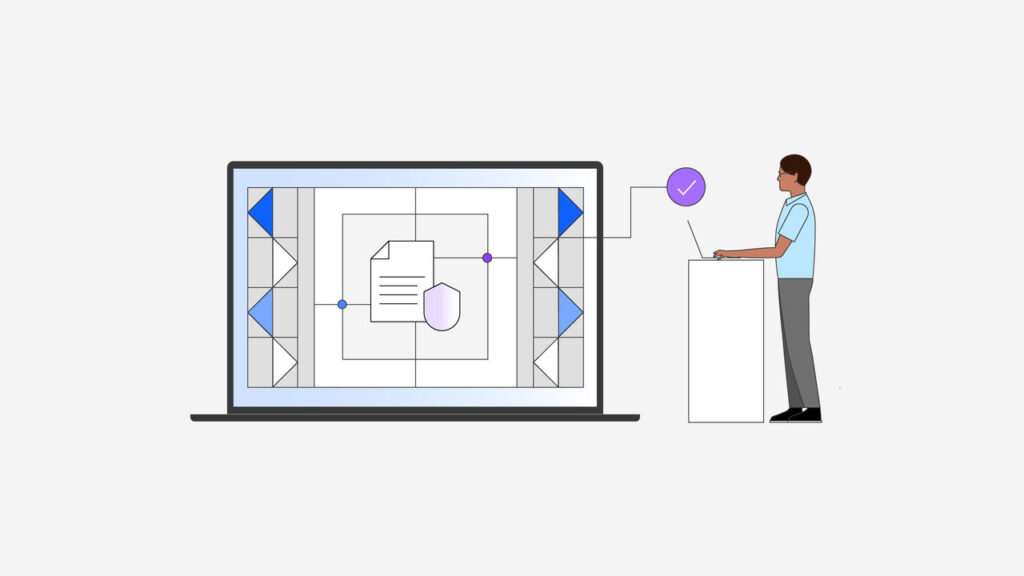
In the rapidly evolving landscape of business technology, AI-powered automation stands out as a game-changer, particularly for small to mid-size businesses seeking efficiency. In this step-by-step tutorial, we’ll guide you through the design, deployment, and monitoring of an AI automation mechanism tailored to your operations. This will empower your organization to streamline processes, reduce costs, and drive actionable insights, ultimately enhancing your competitive edge.
Before diving into the technical aspects, it’s essential to define some prerequisites. First, you’ll need access to a cloud service provider that supports containerized environments, such as IBM Cloud. Familiarity with basic data management concepts and a willingness to utilize tools like IBM Software Hub Premium will streamline your journey. Team collaboration is also crucial; ensure you have dedicated personnel to support this initiative, including someone familiar with your business processes.
Once you have the prerequisites in place, the next step is configuration. Log into IBM Software Hub Premium and explore the features available in version 5.3. The ArgoCD tool is particularly useful for deploying your application, as it automates and simplifies the deployment process. Begin by creating an ArgoCD configuration file that specifies the settings and parameters necessary for your deployment. Example inputs might include the repository URL for your application and the desired environment (e.g., staging or production). Once you’ve created the configuration file, deploy it using the Helm-based installer provided by the Software Hub. This process ensures consistency and scalability, transforming what could take days into a streamlined operation that executes in mere hours.
With your automation now deployed, it’s time for testing. Conduct a series of tests to ensure that the automation behaves as expected. You can use simulated data to mimic real-world scenarios, enabling you to verify that the AI model performs accurately within your production environment. An example output might be a report generated from your AI model that forecasts sales based on historical data. These tests can help identify any unexpected behaviors and ensure that the automation effectively supports your business processes.
Monitoring is a crucial part of deploying AI-driven automation. Utilize tools provided within IBM Software Hub to set up dashboards that display key performance indicators (KPIs). These dashboards can help you monitor how well your AI solution performs and whether it meets the established benchmarks. For example, track the accuracy of predictions or the time saved in routine tasks. Regular check-ins on these metrics will allow you to refine and improve the automation over time and identify any issues that might arise.
Error handling is another critical aspect to consider. Ensure that error logs are appropriately configured within your AI solution so that any discrepancies can be quickly identified and rectified. Establish a protocol for addressing common errors, which may involve collaborating with your AI vendor for insights into troubleshooting methods. By preemptively tackling potential concerns, you can maintain seamless operations and mitigate downtime.
On the financial side, managing costs is vital. Understand the pricing structure of the services offered through IBM Software Hub, and build a budget that reflects your expected usage. For small to mid-size businesses, it’s especially important to control costs and ensure predictable budgeting. Utilize the cost analysis tools integrated into the Software Hub to estimate ROI over time. Calculate the potential savings from increased efficiency, reduced labor costs, and improved output quality, compared to your initial investment in AI technologies.
Security remains a concern for organizations venturing into AI, especially regarding data retention and privacy. Make sure your automation complies with relevant regulations, such as GDPR or CCPA, which dictate how personal data is managed. Implement strong encryption protocols to safeguard data at rest and during transmission. Establish a transparent data retention policy stating how long data is stored and how it can be accessed. This not only protects your organization but also builds trust with clients and stakeholders.
Vendor lock-in is another risk to evaluate as you integrate AI capabilities. Opt for tools that offer flexibility and interoperability with other systems. This ensures that you are not solely dependent on one vendor and can adapt to changing business needs or technologies. By choosing solutions that support open standards, you can create a tech stack that is resilient and responsive.
As you move through the design, deployment, and monitoring phases, assess not only how your AI-powered automation performs but also how it impacts your entire business operation. Include cross-functional teams in this evaluation, as their insights will be invaluable. Monitor employee feedback regarding process changes, as buy-in from staff will enhance the overall effectiveness of the solution.
FlowMind AI Insight: The integration of AI-powered automation can revolutionize how small and mid-size businesses operate, yet the journey requires careful planning and execution. By following a structured approach to design, deployment, and monitoring, organizations can not only gain immediate efficiencies but also foster an agile environment that nurtures ongoing innovation. This commitment to incorporating AI in business processes promises long-term viability and measurable growth.
Original article: Read here
2025-12-15 17:16:00