
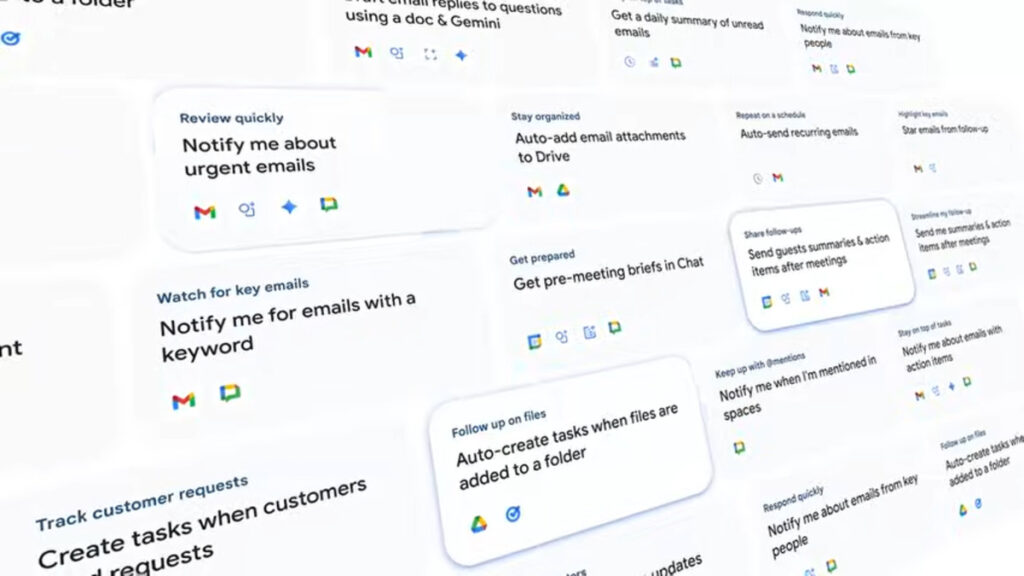
In the world of automation, integrating AI can significantly enhance operational efficiency, especially for small and mid-sized businesses. With tools like Google Workspace Studio, even those without coding backgrounds can design, deploy, and monitor AI-powered automations. This guide provides a step-by-step approach tailored for operations managers, detailing the prerequisites, configuration steps, testing, monitoring, error handling, and cost control related to AI automation.
Before diving into the process, it’s essential to establish your prerequisites. Ensure that your organization has a Google Workspace account. For business and enterprise users, access to Google Workspace Studio is included. Familiarize yourself with the natural language capabilities of AI agents. The first step is identifying tasks you want to automate. Consider areas such as lead generation, customer support management, or scheduling reminders. Document these tasks to create a clear, actionable plan.
Next, begin configuring your AI-powered automation. Log into your Google Workspace account and navigate to Workspace Studio. Here, you will find a user-friendly interface that allows you to create an AI agent. Start by selecting “Create New Agent.” The interface will prompt you to describe the task you want the AI to perform. For instance, you might state, “Create an agent that sends a summary report every Friday at 5 PM.” Your input will help the AI understand your requirements, thus eliminating the need for complex coding.
Once the agent is set up, the next phase is testing your automation. Activate the created agent in a controlled environment. Send a test email that triggers the automation. Verify that the AI responds correctly by executing the intended task. For instance, ensuring that the summary report arrives in your inbox at the specified time. It’s crucial to refine your queries based on the test results. Adjust any parameters if the outcomes do not align with your expectations.
Monitoring the automation’s performance is vital for ongoing success. Google Workspace Studio allows you to track how often the agent executes its tasks and logs any errors. Regular checks will help you identify any irregularities early on, allowing for swift adjustments. For instance, should an agent fail to send the weekly report, consult the error log to understand what went wrong—perhaps an incorrect time zone setting.
Error handling is another critical aspect of maintaining your AI automation. Develop a straightforward troubleshooting protocol. If an error occurs, have a checklist that includes verifying the input parameters, checking logs, and ensuring that system permissions are up to date. Always be prepared to revise the agent’s configuration based on these findings to enhance accuracy.
Cost control is essential in ensuring the sustainability of your automation. Monitor how much processing power your AI agent consumes within Google Workspace. Familiarize yourself with the pricing model, particularly if you plan to integrate with third-party applications. Keep an eye on limits that might affect your usage. By assessing costs continuously, you can ensure that your automation remains within budget while still delivering value.
Beyond these practical aspects, it’s essential to consider security, data retention, and privacy. When automating tasks that involve sensitive customer data, ensuring robust data protection measures should be a priority. Google Workspace provides built-in security features, such as two-factor authentication and encrypted data storage. Always review the permissions granted to your AI agent, ensuring it accesses only the necessary data for task execution.
Data retention policies are equally critical. Define how long data collected by your AI agent will be stored and when it should be deleted. Adhering to data protection regulations, such as GDPR, may require you to implement specific data handling procedures.
Vendor lock-in is a concern when relying heavily on a single platform. While Google Workspace offers excellent tools, consider building exit strategies, such as ensuring that your data is exportable and easily transferable to other systems. This foresight can protect your organization from potential integration challenges down the line.
Estimating ROI for your automation project begins with defining success metrics. These could include time saved, increased productivity, or improved customer satisfaction. To calculate return on investment, weigh the benefits against the costs associated with deploying and running your AI automation. Maintain regular assessments to understand better how the automation is performing against your financial targets.
Ongoing maintenance of your AI-powered automation is crucial for its longevity. Regular performance assessments, periodic updates to the AI agent’s configuration, and continuous training data adjustments will help ensure optimal performance. Encourage team feedback to identify areas for improvement that can enhance functionality or usability.
FlowMind AI Insight: Embracing AI-powered automation can drive fundamental improvements in operational efficiency and productivity. By following a structured approach, operations managers can harness the power of AI to streamline processes, reduce costs, and ultimately enhance overall business performance. Adopting this technology will not only position your organization for sustainable growth but also cultivate a culture of innovation.
Original article: Read here
2025-12-03 21:38:00