
In today’s competitive landscape, small and medium-sized businesses (SMBs) face increasing pressure to enhance productivity and streamline operations. The right software tools can significantly impact these efforts. Among numerous options available, WorkDo and Asana stand out as popular choices for productivity management. Both platforms offer distinct features that cater to various needs, but understanding their differences can help SMBs determine which tool is best for them.
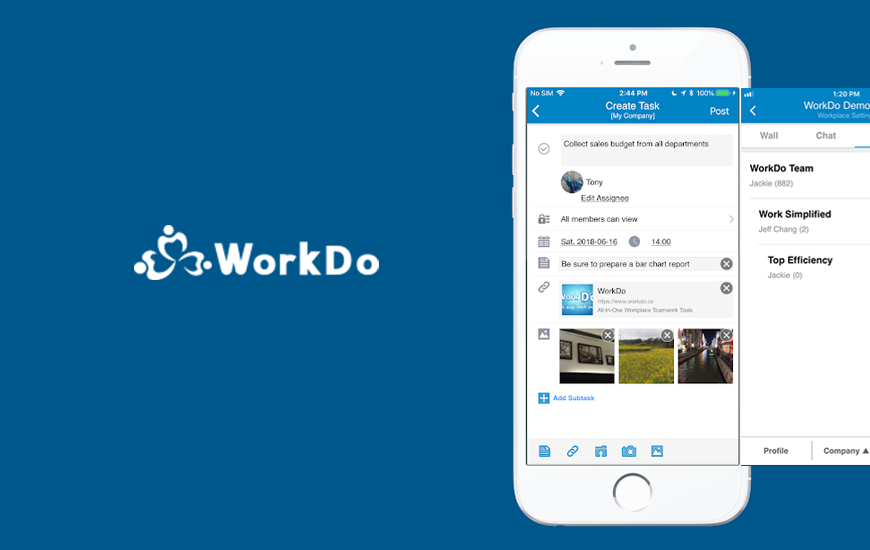
One of the strongest attributes of WorkDo is its all-in-one approach, offering features that extend beyond simple task management. WorkDo integrates task assignments, event planning, file sharing, and even HR tools like attendance tracking and leave management into one platform. These capabilities fulfill many needs for growing teams, fostering collaboration without the necessity to juggle across multiple applications. For instance, imagine a mid-sized software development company, where teams often shift between project management, HR functions, and team communication. WorkDo could consolidate these functionalities, allowing employees to focus on their core responsibilities.
On the contrary, Asana is renowned for its user-friendly interface and project visualization tools. It specializes in task management and workflow creation, providing clear timelines and to-do lists, which can be more suitable for teams that thrive on structured project organization. An example here would be a marketing agency launching multiple campaigns simultaneously. Using Asana allows team members to clearly delineate tasks and deadlines, ensuring that everyone stays aligned and on schedule.
However, WorkDo’s extensive feature set can be a double-edged sword. While its comprehensive dashboard simplifies operations for larger organizations, smaller teams may find it overwhelming as they navigate through various functionalities. The complexity can lead to a steep learning curve. Moreover, WorkDo currently has limited third-party integrations. This absence can hinder workflow flexibility, especially if a business relies on external tools for CRM, accounting, or customer support.
Asana often excels in integrations, offering compatibility with a broad range of third-party applications like Slack, Zoom, and Google Drive. This flexibility greatly enhances Asana’s usability for teams that already leverage these popular tools. For companies planning to scale or incorporate new software as they grow, Asana’s robust integration features can ease the transition and connectivity between different platforms.
When considering pricing, WorkDo typically offers a more cost-effective solution, especially for businesses with limited budgets. WorkDo employs a tiered pricing structure, making it accessible for smaller teams without compromising essential features. In contrast, Asana, while providing a rich feature set, tends to be pricier, especially when advanced capabilities are needed. For startups or small teams, the lower financial barrier of entry with WorkDo can be pivotal.
Reliability is critical when choosing a productivity tool. Both WorkDo and Asana are generally stable, but individual performance can vary depending on the specific needs and workload of the business. For example, a company with busy periods might experience different levels of service uptime or responsiveness. Thus, it’s advisable to inquire about service level agreements (SLAs) and user reviews focusing on reliability metrics.
Support offerings also differ greatly between the two solutions. WorkDo has established a reputation for providing useful resources and responsive support, but it does not always match Asana’s extensive customer service capabilities. Asana provides comprehensive documentation, user forums, and direct customer support which can be beneficial for users encountering challenges during implementation or daily use.
For businesses contemplating migration, both platforms offer straightforward onboarding processes, but specifics vary. Transitioning to WorkDo would involve exporting existing data into its framework, ensuring compatibility with its HR features. For teams already using project management tools, this could entail a detailed migration plan to avoid disruption. In contrast, moving to Asana generally involves importing existing task lists and timelines. These processes may involve trials or pilot programs that allow a portion of the team to test the new software for a set period, minimizing risk and gathering employee feedback before a full-scale launch.
When it comes to total cost of ownership, SMBs need to analyze software costs alongside ancillary expenses. This includes time spent training staff, potential productivity dips during the learning phase, and any necessary third-party integrations or upgrades. In doing so, businesses can better understand their expected return on investment (ROI) over three to six months. Often, both WorkDo and Asana can generate significant efficiency gains, reducing time spent on task management, leading to higher output.
In real-world scenarios, a business that adopts WorkDo could see improved coordination across its HR and project management functions within the first few months. The reduced need to switch between different tools can save time, which translates into cost savings. Conversely, companies that adopt Asana may find they are able to better manage complex projects more quickly and with less oversight due to its structured approach.
FlowMind AI Insight: Choosing the right productivity tool for your SMB relies on understanding your team’s unique needs and operational structure. Both WorkDo and Asana have distinct advantages that cater to different business types. By considering the features, pricing, and overall usability, you can align the right tool with your organizational strategies for optimal growth and productivity.
Original article: Read here
2023-07-26 12:02:00