
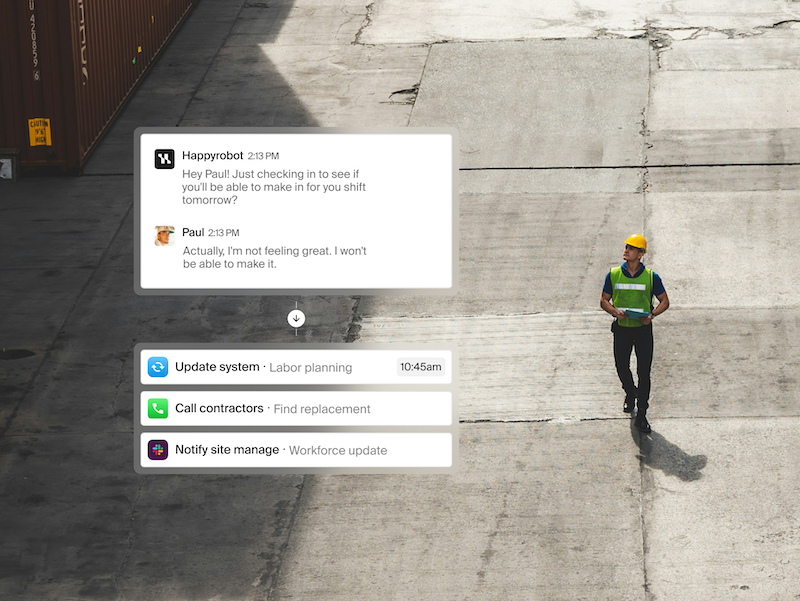
Implementing an AI-powered automation system in a small or mid-size business can streamline your operations, boost efficiency, and reduce costs. This step-by-step guide is designed to help operations managers understand how to design, deploy, and monitor such a system, without requiring advanced technical skills.
Before diving into the setup process, it is essential to understand the prerequisites. Identify the specific business process you wish to automate. This could be anything from customer service inquiries to inventory management. Once you have a clear focus, gather relevant data which could include historical trends, customer interactions, and current operational metrics. Having a solid foundation allows the AI system to learn effectively.
Next, choose an AI automation platform suited for your business needs. Popular options include platforms like Zapier, UiPath, or Microsoft Power Automate. Each of these platforms offers user-friendly interfaces, enabling non-developers to set up automation flows. Many of these platforms offer free trials or tiered pricing, allowing you to assess functionality before fully committing.
Once you have selected a platform, create an account and familiarize yourself with its dashboard and functionalities. Most platforms provide tutorials and documentation. It’s wise to explore these resources to understand how to integrate your business data. You might need to connect various data sources, such as spreadsheets, databases, or APIs. This integration is crucial for enabling the AI to work with real-time data.
After establishing your account, you’ll want to configure the automation. Start by creating a simple workflow. For instance, if you are automating customer inquiries, set up a trigger that activates when a new message is received. You can then specify actions, such as using AI to categorize the inquiry and send an appropriate automated response. Testing the workflow with example inputs gives you insights into its functionality. If a customer message reads “What are your business hours?”, the expected outcome should include an automatic response providing that information.
Testing your setup is a critical step. Run several scenarios through your automation to ensure it handles various inquiries accurately. If you realize the system misinterprets certain phrases or fails to respond appropriately, tweaking the AI’s learning parameters will be necessary. Continuous testing helps fine-tune the system, ensuring that it meets the desired outcomes and reduces unexpected errors.
Monitoring your automation is the next stage. Most AI platforms have built-in analytics tools to track the performance of your workflows. Pay attention to metrics such as response rates, error logs, and user interactions. This data not only helps assess the performance but also aids in making informed decisions for further improvements.
Effective error handling is crucial for any automated system. Set up fallback options or alert notifications when processes fail. For instance, if a customer submits a query and the system does not respond, ensure a human operator receives an alert to take over the conversation. This transparency maintains customer satisfaction and mitigates potential frustrations.
Cost control is another vital aspect to consider. Start by estimating the costs associated with developing and maintaining the AI system. This includes subscription fees for the chosen platform, any required training, and ongoing operational costs. Evaluate how much time and money the automation saves compared to traditional methods. By tracking these savings over time, you can create a clear estimate for your return on investment.
Regarding security, ensure that your AI platform complies with industry standards for data protection. Research whether the provider follows stringent protocols, such as data encryption and user access controls. Implementing secure API connections also safeguards sensitive data against unauthorized access.
Data retention and privacy are intertwined with both compliance and customer trust. Establish a clear policy regarding how long data will be retained, and communicate this to your customers. This is critical if you are operating in a regulated industry. Make sure that customer consent is obtained for data collection, and offer them options to manage their personal information.
Vendor lock-in is a risk any business faces when relying heavily on a specific platform. It’s wise to evaluate exit strategies from the outset. Keeping data exportable and ensuring compatibility with multiple solutions can mitigate difficulties should you decide to switch vendors down the line. The flexibility to adapt your technology stack reduces risks associated with dependency on one provider.
Lastly, once deployed, consider ongoing maintenance of your automation. The business landscape is ever-evolving, and you may need to update workflows or retrain the AI based on new data. Schedule regular reviews to ensure the automation continues to meet your operational needs and provides value.
FlowMind AI Insight: As automation becomes increasingly integral to business processes, understanding and effectively managing your AI systems will be key to harnessing their full potential. Prioritize thorough testing, monitoring, and security measures to ensure a sustainable and beneficial implementation. With careful planning and ongoing evaluation, your AI-powered automation can transform operations, reduce costs, and enhance customer experience.
Original article: Read here
2025-11-25 15:53:00