
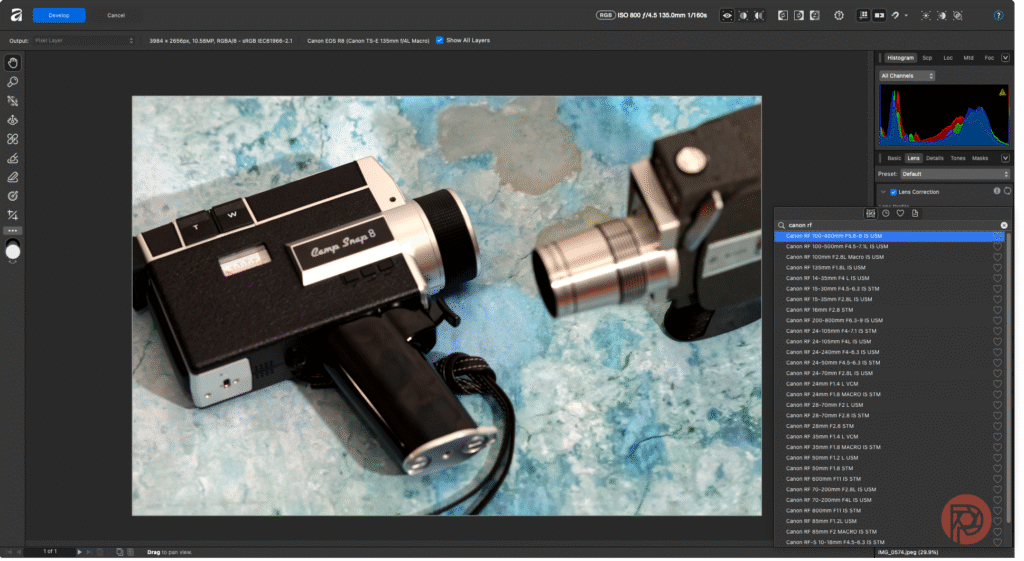
In the current landscape of photo editing, numerous tools claim to revolutionize the way professionals and amateurs approach digital imagery. Recently, Affinity by Canva has emerged as a contender, promising a free, non-AI-driven photo editing experience. However, with ongoing advancements in automation tools catering to small and medium-sized businesses (SMBs), it’s essential to assess various options available in the market. Two prominent solutions that have gained traction among SMBs for their automation capabilities are Adobe Photoshop and Affinity Photo.
Adobe Photoshop has long been the industry standard for photo editing and offers a comprehensive feature set. It provides advanced tools for image retouching, compositing, and graphic design. Users can utilize the power of Adobe Sensei, Adobe’s AI-driven technology, which enhances functionality and automates time-consuming tasks such as object selection, sky replacement, and even intelligent upscaling. The reliability of Photoshop is backed by Adobe’s extensive resources and continuous updates, ensuring that users have access to the latest tools and security features.
In contrast, Affinity Photo champions a more budget-friendly approach without sacrificing quality. Unlike Photoshop, which operates on a subscription basis, Affinity Photo offers a one-time purchase option, appealing to users looking to avoid ongoing fees. Its core features include advanced selection techniques, comprehensive retouching tools, and robust layer capabilities. However, while its speed and responsiveness are often praised, it may lack some of the more refined AI tools that Photoshop offers, potentially slowing down workflows that rely heavily on automation.
When evaluating pricing, Adobe has transitioned to a subscription-based model, costing around $20.99 per month for individual users, while Affinity Photo has a one-time fee of approximately $54.99. For small businesses operating on tight budgets, this disparity can be significant. While the upfront investment in Affinity Photo can appear more beneficial, organizations must consider the long-term costs, including the need for periodic updates and the availability of customer support.
In terms of integrations, Adobe Photoshop seamlessly connects with other Adobe products, creating a cohesive ecosystem that enhances the user experience. Tools like Adobe Lightroom for photo management and Premiere Pro for video editing ensure that creative workflows are streamlined for professionals. Affinity Photo, while less extensive in integration than Adobe, supports a range of file types and can be incorporated into broader workflows, though it may require additional steps for syncing with third-party services.
Support options also differ. Adobe provides extensive customer support, including tutorials, online communities, and a vast library of resources. This is crucial for SMBs that may not have in-house expertise. Affinity, while offering community support and user guides, may not provide the immediate assistance that larger organizations require, particularly during critical project phases.
For businesses considering migration to either tool, it’s essential to approach the transition with a strategic mindset. Organizations can start with a low-risk pilot project using both tools. For instance, they might select a straightforward project such as a marketing campaign’s visuals and assign team members to use Photoshop and Affinity Photo. This not only helps identify the tool that best meets their needs but also allows employees to gain experience and confidence with the selected software.
Furthermore, assessing total cost ownership is vital. While Adobe’s subscription model may initially seem more expensive, its comprehensive features could translate to time savings and productivity gains, affecting the overall return on investment (ROI). For example, a marketing department using Photoshop may reduce editing time from several hours to a fraction of that time through automation features, possibly resulting in higher output and potentially increased revenue. Conversely, the initial investment in Affinity Photo may lead to substantial savings, but users must weigh those savings against the potentially longer editing times associated with workflows lacking AI assistance.
The expected ROI over three to six months depends largely on how effectively the chosen tool integrates into existing workflows and how users adapt to the software. If teams leverage automation features effectively, the ROI for Adobe could surpass initial costs quickly. With Affinity, though less automation may be available, a dedicated team can still deliver high-quality work, making it a viable option for those seeking to minimize expenditures.
FlowMind AI Insight: As businesses navigate the complexities of photo editing tools, a careful consideration of features, costs, and support will ultimately dictate the tool’s success in enhancing productivity and creativity. By piloting both Adobe Photoshop and Affinity Photo, users can make an informed decision that not only aligns with their budget but also positions them for greater efficiency and growth in their visual communication efforts.
Original article: Read here
2025-11-23 08:02:00