
In today’s fast-paced business environment, leveraging artificial intelligence (AI) to automate processes can be a game-changer for small and mid-size operations. Implementing an AI-powered automation system may initially seem daunting, but it can significantly streamline workflows, reduce human error, and drive better decision-making. This article presents a step-by-step tutorial on how to design, deploy, and monitor an AI-powered automation system tailored to your business needs.
Before diving in, it’s crucial to establish prerequisites. Begin by assessing your current processes and identifying areas where automation can add value. Gather data on your workflow to analyze which tasks are repetitive and time-consuming. Additionally, familiarize yourself with any existing tools your organization uses, as integration may be essential. Determine the business objectives you aim to achieve through automation, whether that’s improving efficiency, reducing costs, or enhancing productivity.
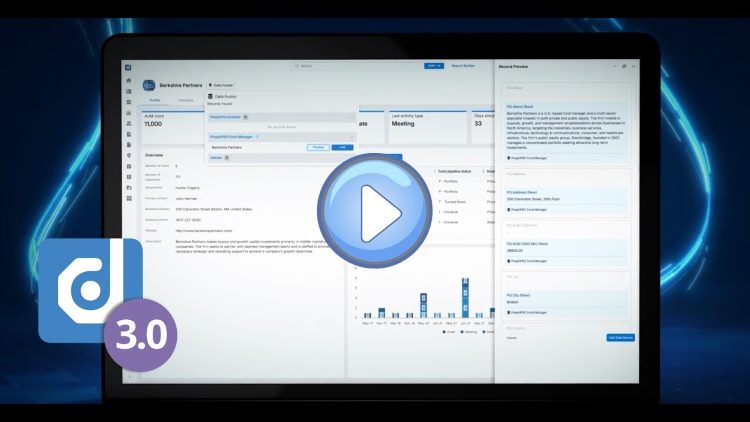
Once prerequisites are in place, the next step is configuration. Choose a user-friendly AI platform that caters to your business needs. Platforms like Dynamo v3.0 integrate AI with workflow automation, making them suitable for both general partners and limited partners in investment management. Once selected, set up a project on the platform. Start by defining the scope of the automation; this includes establishing what tasks you want to automate and determining how data will flow through the system.
Input examples include gathering transaction data, investor communications, or portfolio updates. As you configure the platform, define clear parameters for each automation task. For instance, if you automate the collection of GP statements and financial data, ensure that you specify the sources and formats of those inputs. During this step, navigate the platform’s user interface to drag and drop tools that support your required functionalities.
Next, proceed to testing your automation before full deployment. It’s crucial to run simulations using various data inputs to assess how the AI responds. For instance, if you set up an automated document hub to extract and tag data, input both valid and invalid documents to monitor how it handles different scenarios. The expected outcome should be a seamless extraction process, where the valid inputs are accurately processed and tagged, while the invalid entries trigger error messages.
Monitoring plays a vital role post-deployment. Implement dashboards within the AI platform to visualize key performance indicators (KPIs) that align with your business objectives. Regularly check the system’s performance metrics and make adjustments as necessary to optimize the automation. Understand that the first automation deployment may require tweaks and refinements, so remain attentive to how the system operates.
Error handling is another critical aspect of AI automation. Prepare for scenarios where tasks may not execute as planned. Build a framework within the AI system that notifies administrators of errors, providing logs that highlight the issue and suggest potential remedies. For example, if data fails to extract from a document, the notification feature should indicate which file caused the failure and why.
Cost control is a significant factor throughout the implementation process. Initially, consider the financial implications of selecting an AI platform, including subscription fees, setup costs, and any additional charges for extra features. Aim to analyze your return on investment (ROI) once the automation is fully operational. Calculate the time saved compared to pre-automation, taking into account labor costs and productivity gains; your ROI can be represented as a percentage increase in productivity or a reduction in resource expenditure.
Security and privacy are paramount when deploying an AI-powered automation system. Ensure that any platform you choose complies with industry standards, such as SOC, NIST, and ISO/IEC. This adherence reinforces your data security protocols, ensuring that sensitive information is protected from unauthorized access. Implement robust data retention policies, so you know how long to keep various sets of data and ensure that compliance regulations surrounding data retention are followed.
Vendor lock-in is a critical concern when integrating AI solutions. As you adopt a platform, carefully assess the potential hurdles of switching providers in the future. Evaluate the migration paths outlined by the vendor and ensure that exporting data is a simplified process. This preparedness will save you from getting ensnared in proprietary ecosystems that might limit your operational flexibility.
Ongoing maintenance of your AI system will be vital for its sustained success. Developing a maintenance schedule can help to ensure updates are regularly applied and that any issues are resolved quickly. Keep lines of communication open between your technical teams and end users to gather feedback and adapt the automation as your business needs evolve.
FlowMind AI Insight: The integration of AI-powered automation in small and mid-size businesses stands to offer substantial benefits, including enhanced efficiency and scalability. By carefully following a structured approach to implementation and ongoing evaluation, organizations can seize the prospects that AI provides and navigate the complexities of today’s market landscape effectively.
Original article: Read here
2025-11-04 22:09:00